
Private by designMedia is not uploaded to our server.
ON VOLUMEBOOSTMade for iPhone
MUSIC LOUDER VOLUME BOOSTER
Your music.
Louder and better.
Use the iPhone app for the best experienceFaster editing, a saved media history, and a workflow made for iPhone.
Volume up to 1000% Bass booster Equalizer presets
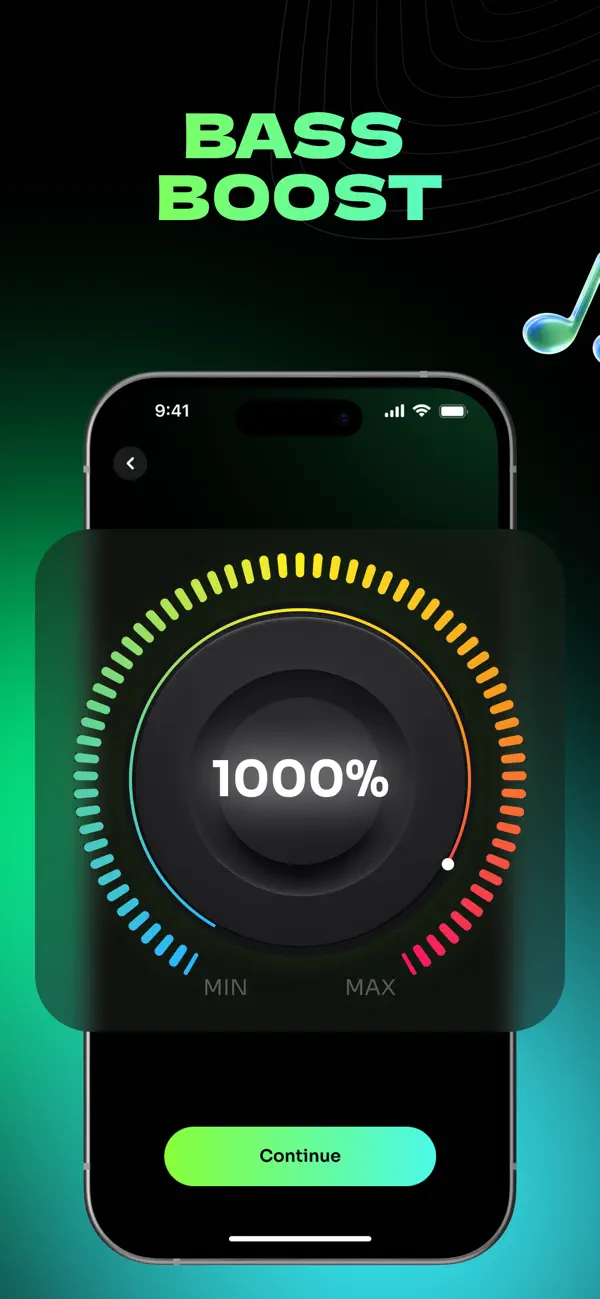
10× louderPeak protected
Shape every trackBass and EQ controls
Keep your editsSaved media history
ANDROID · INSTALLABLE WEB APPInstall Volume Boost, then use it like an app.
There is no Android store app yet. Add this private local editor to your home screen for a focused, full-screen workflow.
Home screen accessOffline app shellFiles stay local
DESKTOP · INSTALLABLE WEB APPYour private audio workspace, without a store.
Install Volume Boost in its own window or use it online now. The dedicated iPhone app remains available for mobile editing.
App windowOffline app shellNo account
FREE ONLINE VOLUME BOOSTER
Make quiet media
louder, right here.
Import an audio file or an MP4/MOV video, preview the change, then export a louder copy. Processing happens locally in your browser.
Your file stays on this device. No upload, account, or cloud processing.
VOLUME BOOSTMusic BoosterYOUR MUSIC. AMPLIFIED.Music
Booster
Booster
Boost your music louder and clearer with studio-style volume, bass, and equalizer controls.
QUICK ACCESSAdd your media
Private processing on this deviceVolume
0–1000% gain
Bass
Low shelf warmth
Equalizer
Five-band shaping
Local browser processing
Media fileReady to preview
LIVE MONITOR
Enhanced adds gain, tone shaping, and peak protection.
Output gain200%
Peak protection Active
IOS-INSPIRED CONTROL SUITEShape your sound
Volume BoosterAdjust the volume of your media
MIN · 0%MAX · 1000%
Bass BoosterWarm up the low frequencies
BASS BOOST0%LOW SHELF · 110 HZ
MIN · NEUTRALMAX · DEEP
EqualizerSelect a preset or customize your own
Export a new copyEnhanced · Audio → M4A · Video → MP4
Preparing the audio engine…0%
Exports created during this session appear here. Your original files stay untouched.
 No exports yetOpen Booster, enhance a file, and export a new copy.
Volume Boost processes your files locally and does not require an account.
Local audio enginePreview effects run on this device.
READYInstall Volume BoostOpen from your home screen or app launcher.
Common audio formats MP4 and MOV video Nothing stored on our servers
1000%maximum volume control
0files uploaded to us
5-bandequalizer and presets
2 formatsM4A audio · MP4 video
GO DEEPER THAN VOLUME
Two focused ways to
shape a better mix.
Volume gets attention, but the right low end and frequency balance are what make a file feel finished. Open a focused workspace and hear the difference.
A REAL BROWSER WORKFLOW
From quiet file to
finished copy.
The web editor follows the same useful product sequence as the iPhone app while keeping the original file intact.
Import locally
Choose a supported audio file or MP4/MOV video. It stays in browser memory instead of being sent to a server.
Listen and shape
Set volume, add genuine low-frequency gain, use the five-band EQ, and switch between original and enhanced playback.
Process and download
The local processing engine creates a new M4A or MP4 copy with peak protection, ready for download.
BUILT LIKE A PRODUCT
More than a volume slider.
Large gain values are easy to advertise and easy to get wrong. The editor combines live A/B monitoring with explicit tonal controls and a final limiter, so you can hear the tradeoff before creating a copy.
- Non-destructiveYour source file is never overwritten.
- Honest bass processingA low-shelf filter changes your media instead of layering a generic bass loop over it.
- Export protectionA limiter controls digital peaks created by aggressive gain and EQ.
LOCAL SIGNAL PATHACTIVE
Input file
Gain
EQ
Limiter
Download
ComputeYour device
StorageBrowser memory
Server copyNone
MADE FOR IPHONE
On iPhone, use the App.
The app is faster for repeat edits, keeps your imported media workflow together, and gives you the dedicated mobile experience that a browser cannot.
LEARN BEFORE YOU BOOST
Fix the cause,
not only the level.
Some quiet media needs gain. Some problems come from Bluetooth routing, speakers, clipping, or an already damaged recording.
FAQ
Questions, answered.
Can I increase audio volume online without uploading my file?
Yes. Volume Boost processes supported audio and video inside your browser. The file is not uploaded to our server, and the enhanced copy is created on your device.
Which files can I make louder?
The web editor accepts common audio formats including MP3, WAV, M4A, AAC, and FLAC. Video processing supports MP4, MOV, and M4V files with an audio track.
How loud can I make a file?
You can set output volume from 0% to 1000%. A peak limiter is applied during export, but large increases can still raise noise and reduce dynamics, so compare the loudest section before downloading.
Does the online volume booster work on iPhone?
It works in modern mobile browsers, but large files can exceed mobile browser memory. The iPhone app remains available for a more durable mobile workflow and file management.
Will this replace the original file?
No. The editor creates a new M4A audio file or MP4 video. Your original remains untouched.
Is the online tool free?
Yes. The browser volume booster is free to use. The site may display clearly separated advertising in the future to support the service.
